App
Tower Rush app download options for players in Pakistan
Updated 22 October 2026 · Data: Galaxsys, in-game rules, public demo
Tower Rush app download searches can lead to unofficial APK files or gaming platform apps, rather than a standalone app from Galaxsys. Tower Rush is an HTML5 game that runs in a mobile browser or inside a platform that offers it. This guide explains how to verify the source, use a home-screen shortcut and check permissions before opening anything.
01 · App
Tower Rush game download: what is actually available
There is no official standalone Tower Rush APK or app from Galaxsys listed in the facts checked for this guide. The game is HTML5, so it can run in a compatible mobile browser or inside a gaming platform’s own app if that platform offers Galaxsys games. Tower Rush does not have its own player account: registration and login are handled by the platform, not by the game.
For a developer source, visit the official Galaxsys Tower Rush page. It identifies the game; it is not a link to a standalone Android installation file. You can also read our guides to Tower Rush on the home page and how to play before opening the game.
| Search result or claim | What to check |
|---|---|
| “Official Tower Rush APK” | Galaxsys has no official standalone APK. Treat download buttons claiming otherwise with caution. |
| “Tower Rush original app” | Check whether the page is actually from Galaxsys or describes a third-party platform app. A platform app is not the same as a Galaxsys Tower Rush app. |
| “Tower Rush game download for Android” | The game is HTML5. Browser access does not require installing a separate Tower Rush APK. |
| “Tower Rush earning game” | There is no official Tower Rush earning app. Currency and any withdrawal process belong to the third-party platform, not to the game. |
02 · App
What “official app” and “original app” searches mean
Searches for “Tower Rush official app” or “Tower Rush original app” may show several different things. A platform may offer Galaxsys games inside its own app, or a website may use Tower Rush’s name in an unrelated download listing. Neither result proves that Galaxsys published a standalone Tower Rush app. Check the publisher and source rather than relying on a logo, title, screenshot or the word “official” in a page heading.
Use this verification checklist before you tap a download or install button:
- Check the publisher. Look for a clear connection to Galaxsys. A file hosted by an unknown download page is not verified by the game’s name or graphics.
- Compare with the developer page. The Galaxsys game page is the relevant developer source. If a page claims an official APK, but the developer page does not provide one, do not treat that claim as confirmed.
- Identify whose account you are being asked to create. Tower Rush has no account of its own. A login or registration screen belongs to the platform hosting the game.
- Read the platform’s own information. If you choose to use a platform, confirm its identity, terms and privacy information independently. Do not assume that a game appearing inside an app makes the app an official Galaxsys product.
- Stop if details do not match. Unexpected requests for personal information, a separate installer, or permissions unrelated to playing are reasons to leave the page and check the source again.
Our real or fake guide gives more checks for distinguishing a game listing from claims about the source. This site is an independent guide and is not the game developer or a gaming platform.
03 · App
Tower Rush download APK: risks and safer checks
An unofficial APK can be altered or bundled with unwanted software. Possible risks include malware, theft of account details, intrusive advertising, or an app that imitates the game while collecting information. A “mod APK”, “earning APK” or “hack APK” label does not make a file genuine. There is no official Tower Rush hack APK, and such claims are not a legitimate way to access the game.
Before installing any app related to a search for Tower Rush:
- Avoid files shared through unknown download pages, messaging groups or file-hosting links.
- Do not turn off Android security protections to install a file that claims to be the official game.
- Do not enter a platform password into a page reached through an unverified APK or advert.
- Check the app’s publisher, requested access and privacy information before installation. If these details are missing or inconsistent, do not proceed.
- If you already installed a suspicious file, stop using it, remove it, and review your device and account security using the device maker’s guidance.
A promise of guaranteed earnings or a “hack” is a warning sign, not evidence of an authentic app. The game itself does not provide a standalone earning account, and platform rules determine any account functions. Read our Pakistan information page for the local context. Gambling is prohibited in Pakistan under the Prevention of Gambling Act, 1977 and provincial equivalents; there is no licence for online casinos. The PTA blocks gambling and betting websites and apps. In August 2025, the Cabinet Division told the National Assembly that 184 such websites and apps had been blocked. Online promoters of betting apps have also been prosecuted under PECA, 2016. This is a factual summary, not a claim that a particular service is lawful or available.
04 · App
Open Tower Rush in a mobile browser
If you want to avoid an unverified APK, use a browser to visit the website of the platform where the game is offered. Confirm the web address before signing in. Tower Rush runs as HTML5; it does not need to be installed as a separate Galaxsys app. A public Galaxsys demo is available for desktop and mobile, and our Tower Rush demo page explains what to expect. The demo interface is English only.
Add a shortcut on Android with Chrome
These steps create a home-screen shortcut to a website; they do not install an official Tower Rush APK.
- Open Chrome and enter the verified website address in the address bar.
- Check the address and page before signing in or opening the game.
- Open Chrome’s menu and choose Add to Home screen. Depending on the page and browser version, the option may be labelled as an install or shortcut action.
- Review the name shown for the shortcut, then confirm the action.
- Tap the new home-screen icon to open the saved website. Check the address again if you are asked to sign in.
A shortcut is only a convenient link to a website. It does not change who operates that website, verify its claims, or turn it into a Galaxsys app. If the page stops opening, return to the browser and check the web address rather than searching for a replacement APK.
Add a shortcut on iPhone with Safari
- Open Safari and visit the verified website for the game or its public demo.
- Tap the Share button in Safari.
- Choose Add to Home Screen. If the option is not visible, check the available actions in the Share menu.
- Review the shortcut name and confirm Add.
- Open it from the Home Screen when needed. It remains a link to the site, not a standalone Tower Rush app.
Use Safari’s address bar to confirm the site if a shortcut behaves unexpectedly. An app advertised elsewhere as the “iPhone original app” is not verified just because its name or icon resembles Tower Rush.
05 · App
Android permissions and device checklist
A browser game should be treated as website content, not as a reason to grant an unknown app broad access to your phone. Review permissions in Android settings and in the browser’s site controls. The exact menu labels vary by device and browser version.
- Camera and microphone: Do not allow access unless you understand why the specific page is requesting it. These are not needed just to view a Tower Rush game page.
- Contacts, SMS and call access: A game page should not need these to display. Deny unexpected requests.
- Location: Do not share it automatically. Check the reason for any request and whether you are comfortable with it.
- Notifications: Allow only if you want messages from that site. You can keep notifications blocked and still use a browser page.
- Accessibility or device administration: Do not enable these for an APK or website on the strength of an “official game” claim.
- Storage and file access: Avoid granting broad access for a game that runs in a browser. Do not download an unknown installer to make the game load.
Before starting, close tabs you do not need and use a stable connection. If the game loads slowly, try reloading the page once, closing other demanding apps, or using a current browser version. Avoid repeatedly tapping BUILD or other controls while a page is still loading. Sound is controlled through the game interface; the menu includes a Sound option. If performance remains poor, stop and check your connection or device rather than installing a supposed performance-modified APK.
06 · App
Data use, performance and account boundaries
Tower Rush is an online HTML5 game, so it uses a network connection to load and run. Data use varies with the device, browser, connection and time spent on the page; no fixed usage figure is available here. If data use matters, check your phone’s own data-usage settings and prefer a connection you trust. Loading issues can also result from a weak connection, an outdated browser or other apps using device resources.
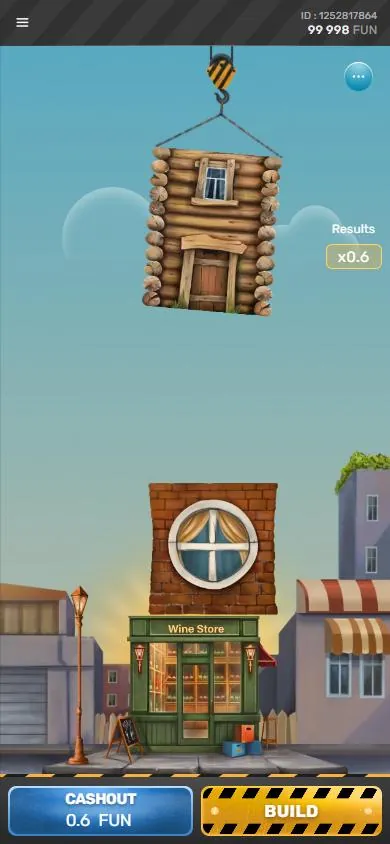
Keep the game and platform separate when checking account details. The game interface has a balance and player ID, but those do not mean Tower Rush owns your account. A platform handles login and registration, and platform-specific details such as currency and withdrawal arrangements are not set by Galaxsys’s game. Do not rely on search snippets promising a particular withdrawal method or an “earn money” app.
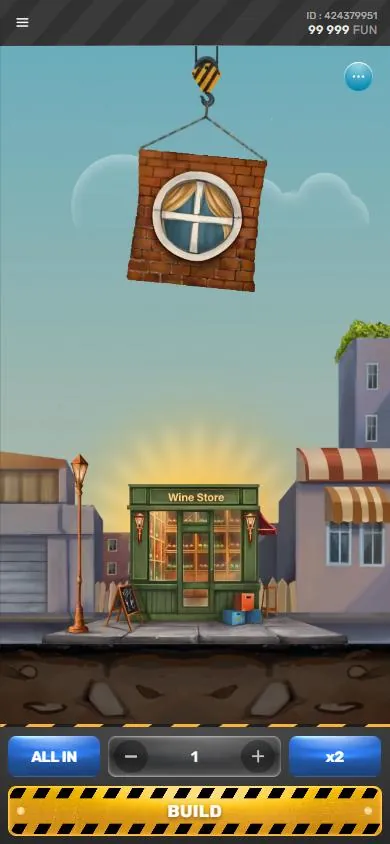
If you use the public demo, its balance is shown in Fun, not as a real-money account. The demo rules describe limits in Fun, and the amount can stop growing when the demo’s maximum is reached; continuing may then lose it. Demo behaviour is not proof of real-money outcomes or a promise about any platform. The game’s round and bonus mechanics are covered in our bonus floors guide, while RTP and fairness explains why version rules should be checked inside the game.
07 · App
Pakistan, age and help
The Pakistan context matters when search results promote an app as a way to earn or withdraw. Gambling is prohibited under the Prevention of Gambling Act, 1977 and provincial equivalents, and there is no licence for online casinos. The PTA blocks gambling and betting websites and apps; access may therefore be unavailable. This guide does not recommend bypassing blocks or treating a platform’s availability as proof of legal status.
Tower Rush is for adults aged 18 and over. If gambling is causing distress or affecting daily life, contact Umang, listed by WHO as Pakistan’s crisis contact, at umang.com.pk or call 0311-7786264. For an emergency, call 1122. Our responsible gaming page has further support information.
FAQ
Questions about Tower Rush
Where can I get Tower Rush game download for Android?
Galaxsys has no official standalone Tower Rush APK or app listed in the facts checked for this guide. The HTML5 game can run in a mobile browser or inside a gaming platform app that offers it.
Is there a Tower Rush app download from the official developer?
No standalone Tower Rush app from Galaxsys was found. Check the developer’s game page and do not treat a third-party platform app as a Galaxsys app.
Is Tower Rush original app available as an APK?
There is no official standalone Tower Rush APK from Galaxsys. APK files from unknown pages may be altered or unsafe, so verify the publisher and source before installing anything.
How do I use Tower Rush on my iPhone without an app?
Open the verified game website in Safari. You can use Share and then Add to Home Screen to save a shortcut; it remains a link to the website, not a standalone app.
Does Tower Rush hack APK or earning game download exist?
There is no official Tower Rush hack APK or standalone earning app. Treat claims of hacks or guaranteed earnings as unverified, and remember that account features depend on the third-party platform.