App
Tower Rush app download guide for the Philippines
Updated 22 October 2026 · Data: Galaxsys, in-game rules, public demo
Tower Rush app searches can lead to unofficial APK files, but Galaxsys has no official standalone Tower Rush app or APK listed. The game is HTML5 and can run in a mobile browser or within a gaming platform’s app. This guide explains safer ways to access it, how to add a site shortcut, and what to check before installing anything.
01 · App
Is there an official Tower Rush app or APK?
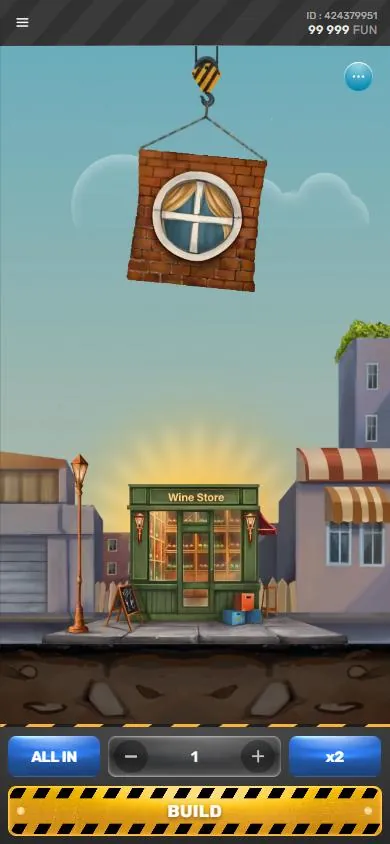
No official standalone Tower Rush APK or app from Galaxsys was found. Tower Rush is an HTML5 game, so it can run in a compatible mobile browser or inside an app provided by a gaming platform that offers Galaxsys games. The game does not have its own account system: any sign-in or registration is handled by the platform, not by Tower Rush.
This distinction matters when searching for a Tower Rush app download. A result described as an “official app” or “original app” may be a platform’s app, a shortcut to a website, or an unrelated download using the game’s name. It is not evidence that Galaxsys published a separate Tower Rush app. Galaxsys provides information about the game on its official Tower Rush page.
This page is an information guide, not an APK download page. It does not host or recommend installation files. For more about identifying misleading claims, see Tower Rush real or fake and the Philippines legal status guide.
02 · App
Tower Rush APK: risks of unofficial files
An APK is an Android installation file. A file carrying the Tower Rush name is not verified just because its filename, icon, screenshots or page design look familiar. Unofficial downloads may contain malware, collect information, or install a fake or modified app. Claims such as “earn money app” or “hack APK” are not proof of a genuine Tower Rush product. There is no Tower Rush hack APK from Galaxsys identified here.
Be cautious if a download page asks you to install an extra package, disable Android protections, grant broad access, or provide account details outside the platform you intended to use. Avoid modified versions that promise guaranteed results or claim to change the game. These claims are not a safe or verified way to access Tower Rush.
Before installing any Android app, use this checklist:
- Check the publisher. Confirm who made the app and whether the publisher is clearly identified. A Tower Rush name or logo alone is not enough.
- Check the source. Prefer the platform’s own verified app channel. Do not treat a third-party download page as an official Galaxsys source.
- Review permissions. Ask whether each requested permission is needed for the app’s stated purpose. A game or browser shortcut should not need access to contacts, SMS, call logs or accessibility controls to load a web game.
- Stop if protections must be bypassed. A request to turn off security features or install additional unknown files is a reason to leave the page.
- Do not enter credentials into an unknown app. Use only the platform’s recognised sign-in route, and do not reuse passwords unnecessarily.
- Keep Android and browser software updated. Updates help address known security issues; they do not make an unknown APK trustworthy.
For Tower Rush, opening the game in a browser avoids installing a separate game APK. If a platform offers its own app, verify that app independently rather than assuming it is an app published by Galaxsys.
03 · App
Tower Rush download: use a browser shortcut instead
A home-screen shortcut can make a website easier to reopen, but it is not a native Tower Rush app and does not turn the site into an official APK. It opens the saved website in a browser. The exact menu wording can vary by browser version and device.
Android with Chrome
- Open Chrome and go to the gaming platform’s website by entering its address yourself or using a saved, verified address.
- Sign in only if you have confirmed that this is the platform you meant to visit. Open Tower Rush from the platform’s game area.
- In Chrome, open the menu and choose Add to Home screen or the equivalent option shown on your device.
- Check the shortcut name and confirm. The new icon should open the website in Chrome; it is not a separate Tower Rush installation.
- If the browser offers an install prompt for a web app, read what it is installing and which publisher is shown before proceeding. Do not accept a different APK download just to create a shortcut.
The game may be available inside a gaming platform’s own app, but availability depends on that platform. A platform app and the Galaxsys game are separate products. See Tower Rush login and registration for the distinction between the game and a platform account.
iPhone with Safari
- Open Safari and visit the platform website you have checked.
- Open Tower Rush from that site, if it is offered there.
- Tap the Share button and choose Add to Home Screen. If the option is not visible, check the available actions in the share menu.
- Review the shortcut name, then tap Add. The icon is a website shortcut, not an App Store version of Tower Rush.
Do not install a configuration profile or an app from an unknown source in response to a Tower Rush download prompt. If a page claims that a separate iPhone APK is required, that is not a valid iPhone installation route. You can also access the game through the browser without saving a shortcut.
04 · App
Check the platform and the Philippines rules
A working game page does not establish that a platform is authorised to offer online gambling in the Philippines. PAGCOR regulates gambling in the country, and only PAGCOR-licensed or registered platforms may legally offer online games to players in the Philippines. This guide does not confirm that Tower Rush is approved on any particular platform.
Check the exact platform domain against PAGCOR’s lists before using it. A PAGCOR logo displayed on a page is not proof of current status. Do not rely only on search snippets, screenshots, app-store descriptions or an APK page’s claims. The platform’s identity and domain matter, especially if an app opens a different website from the one you checked.
The age requirement is 21+. PAGCOR rules also bar government officials and employees, AFP and PNP members, and people on the National Database of Restricted Persons from gambling. If you are unsure about a platform’s status, do not treat the presence of Tower Rush as confirmation that online play there is permitted. For practical guidance on the game itself, use the Tower Rush how-to-play guide.
Payment arrangements are separate from the game and vary by platform. GCash Help Center information says licensed gaming top-up and withdrawal services were removed effective 16 August 2025. BSP memorandum M-2025-029, dated 14 August 2025, directed BSP-supervised e-wallets to remove in-app links to gambling sites. Do not assume that a payment method shown in an old guide or search result is currently available.
05 · App
Mobile data and performance tips
Tower Rush runs as an HTML5 game, so it loads through a browser or a platform app rather than requiring a Galaxsys game APK. Browser play still uses data, and the platform’s pages may also load images or other content. Data use can vary with the connection, browser and site, so this guide cannot give a fixed amount.
For a steadier session, use a reliable connection and close browser tabs or apps that are using resources in the background. If the game stalls, first check the connection and reload the platform page. Avoid repeatedly installing new files as a troubleshooting step; that will not fix a weak connection and may add security risks. Keeping the browser and phone software current can also help with compatibility.
If the game is slow, check whether the phone has enough available memory and whether battery-saving settings are limiting browser activity. Lowering screen brightness can reduce battery use. If you switch between browser and platform app, make sure you are using the same verified platform and understand whether your current game session is still active before continuing.
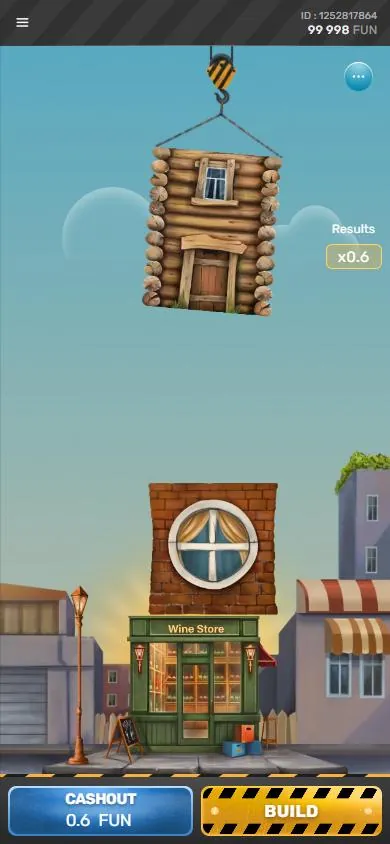
The public Galaxsys demo is available for desktop and mobile, and it uses “Fun” as its demo currency. It is separate from real-money play and does not prove that any platform is licensed or suitable. The demo interface is English only based on the observed version. More about the game’s mechanics is covered in Tower Rush demo and bonus floors.
06 · App
Safer access checklist
Before opening Tower Rush on a phone, use these checks:
- Identify the source: Is this Galaxsys information, a platform website, or an unrelated APK page? Do not confuse those categories.
- Verify the domain: Check the exact platform domain against PAGCOR’s lists. A logo is not enough.
- Avoid suspicious installation requests: The game does not require a standalone Galaxsys APK according to the available information. Do not bypass phone protections for an unverified file.
- Review permissions: For any platform app, allow only permissions that make sense for its functions. Decline unrelated access and stop if the app will not explain why it needs it.
- Protect account access: Tower Rush has no separate account. Account details belong to the platform, so enter them only through its verified sign-in route.
- Set limits on use: Gambling is restricted to adults aged 21 and above, and it is not a way to earn income. If play is causing concern, visit responsible gaming information or contact the National Problem Gambling Helpline. PAGCOR also provides self-exclusion and responsible gaming guidance.
In short, the safer mobile route is a browser or a verified platform app, not a file claiming to be the official Tower Rush APK. Treat “original app”, “earn money” and “hack” claims as unverified unless they can be confirmed through a reliable source.
FAQ
Questions about Tower Rush
Is there an official Tower Rush app download?
No standalone Tower Rush app from Galaxsys was found. The HTML5 game can run in a mobile browser or inside a gaming platform’s app, where available.
Where can I get a Tower Rush APK?
Galaxsys has no official standalone Tower Rush APK identified here. Avoid third-party APKs that use the game’s name without a verified publisher, and use a browser or a platform app you have checked.
How do I add Tower Rush to my home screen?
On Android, open the verified platform site in Chrome and use the browser menu’s Add to Home screen option. On iPhone, open the site in Safari, tap Share, then choose Add to Home Screen; the result is a website shortcut, not a native Tower Rush app.
Is a Tower Rush casino APK safe to install?
The name or icon does not prove that an APK is genuine. Unofficial files may contain malware or request unnecessary permissions, so do not bypass device protections or enter account details in an unverified app.
Is Tower Rush an earning game or does a hack APK exist?
Tower Rush is a crash-style building game, not an income source, and no Galaxsys hack APK was found. Claims of guaranteed earnings or altered game results should be treated as unverified.