Galaxsys · Fast Game · 2024
Tower Rush demo guide for players in Pakistan
Updated 22 October 2026 · Data: Galaxsys, in-game rules, public demo
Tower Rush demo lets you examine Galaxsys’s crash-style building game using Fun credits, without starting a real-money round. This Pakistan guide explains how to open the public demo by choice, what to check on desktop or mobile, the stated demo limits, and why demo outcomes cannot forecast later rounds. The interface is English only.
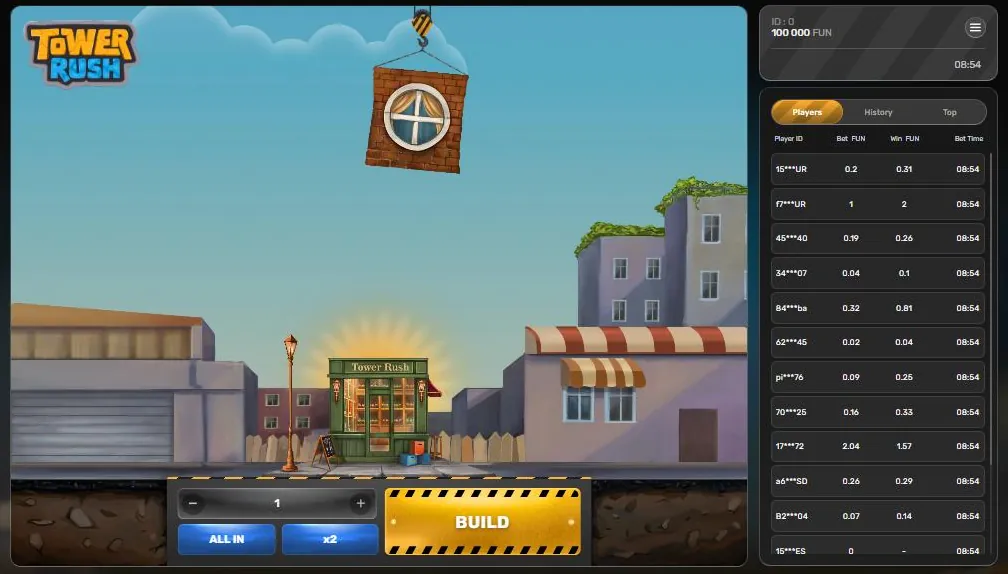
The demo loads only after you press the button, uses virtual Fun credits and never starts automatically. The game interface is in English.
01 · Free demo
Tower Rush demo: open it only when you choose
The public Galaxsys demo is available for desktop and mobile, with play shown in Fun credits. On this guide site, the demo does not start automatically: press the demo button when you are ready to open it. If you only want information, you can read this page without launching the game.
Before you begin, verify that the screen is the Tower Rush game and that the demo balance is labelled in Fun. The official Galaxsys Tower Rush page identifies the game and its developer. This is a browser-based game; the public demo is not a separate earning app. For a fuller explanation of the round controls, see how to play Tower Rush.
Use this short check before trying a round:
- Open the demo yourself by pressing its button; do not assume a preview or page load has started a game.
- Check that the interface shows Fun credits and that you are in demo mode.
- Locate BUILD and CASHOUT before starting. CASHOUT displays the amount currently available to collect in the round.
- If the display, controls or mode are unclear, stop and check the game rules rather than treating the screen as real-money play.
02 · Free demo
Tower Rush on desktop and mobile
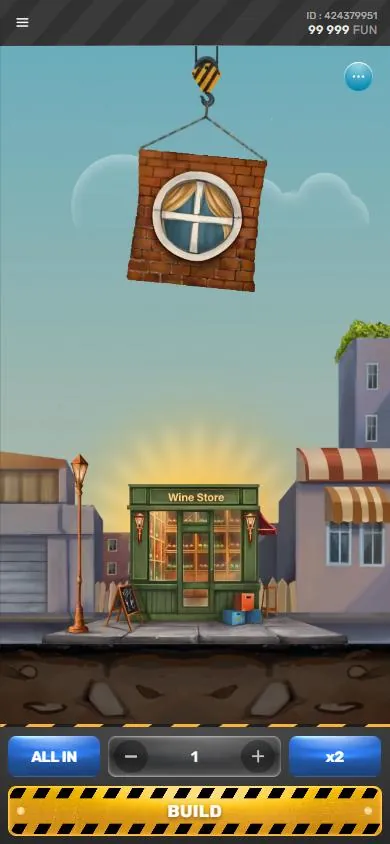
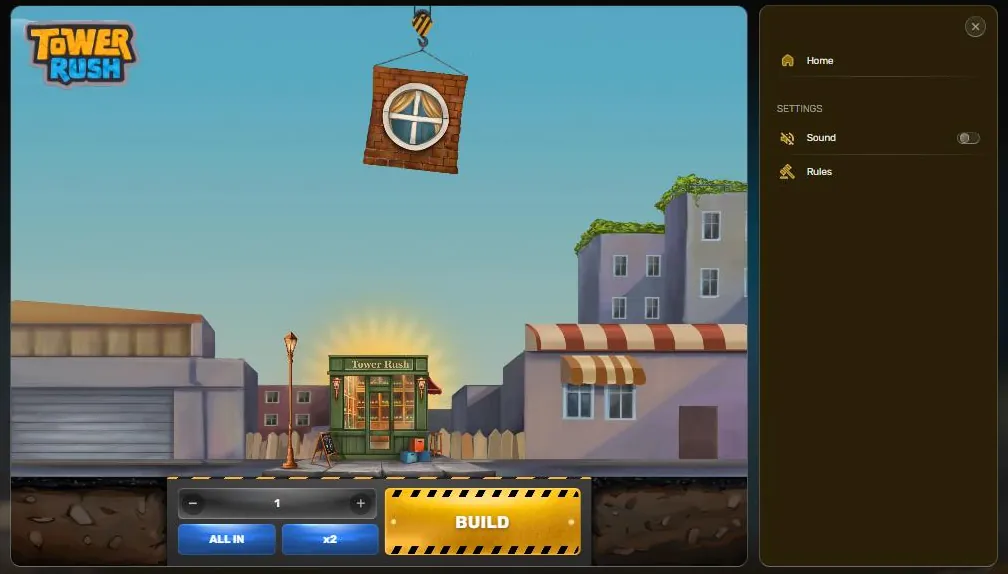
The public demo has desktop and mobile versions. On a phone, the mobile layout is designed for portrait orientation. If the game opens sideways, does not fit the screen, or hides a control, check that the phone’s rotation setting and browser display are not forcing an unsuitable layout. Tower Rush runs in a browser; Galaxsys does not offer an official standalone Tower Rush APK. The interface is English only. No Urdu-language interface option is listed here, so read the button labels and rules carefully before proceeding. The key controls include BUILD, CASHOUT, a minus and plus for the demo bet, and x2. Menu items include Home, Sound and Rules. Tabs for Players, History and Top, a Results column, the balance and player ID may also appear. The Results column records floor odds; use it to follow the current round rather than relying on memory.
If you are comparing browser access with an app, check the information in the app and APK guide. Do not treat an unofficial download or an “earning game” claim as evidence that an app is published by Galaxsys.
03 · Free demo
Demo limits and round mechanics
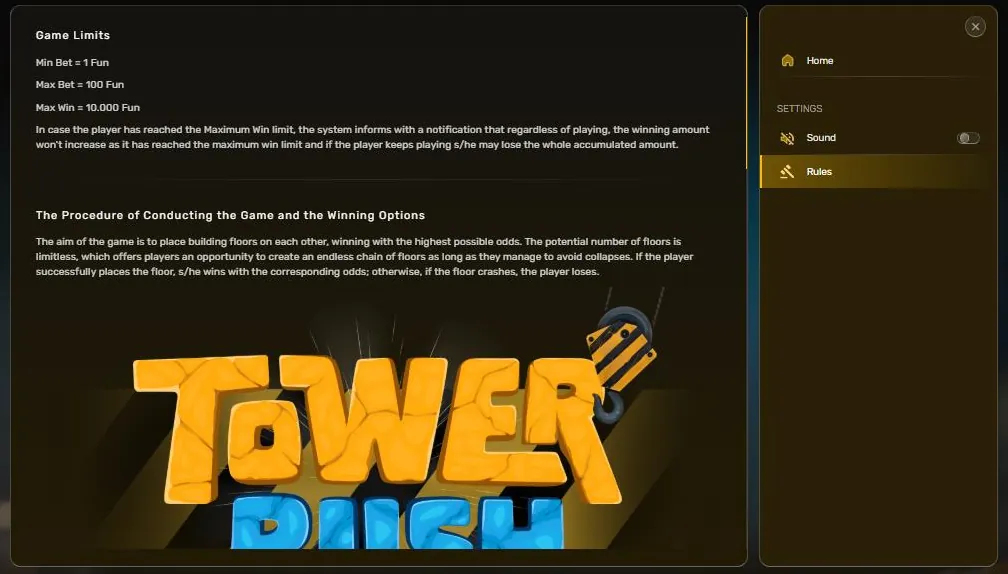
The demo rules show a minimum of 1 Fun and a maximum of 100 Fun for a round, with a maximum win of 10,000 Fun. These are demo limits, not a promise about a third-party platform’s real-money settings. At the demo maximum win, the displayed amount stops increasing; continuing can still lose it. Check the in-game rules because they are the reference for the version currently open.
A round works as follows: choose a demo bet and press BUILD. A floor hangs from a crane hook and drops onto the tower. If it stands, the round’s current amount is calculated from the bet and that floor’s odds. You can then press CASHOUT to credit the accumulated amount to the demo balance, or press BUILD to attempt another floor. Each additional floor multiplies the accumulated amount by its odds. If the tower collapses, the round is lost unless the amount has been frozen.
A successful floor does not always increase the amount. For example, odds can be below x1: a sequence of x1.6, x1 and x0.6 produces a cashout display of 0.96 times the starting bet. Therefore, check the displayed odds and current cashout value after each placement. The bonus floors guide explains the special floor types in more detail.
04 · Free demo
What to test in the Tower Rush demo
Treat the demo as a way to learn the controls and observe the game rules, not as a method for finding a guaranteed strategy. Try the following checks at a pace that lets you read each result:
- Odds below x1: Observe what happens to the accumulated amount when a floor’s odds are less than x1. Compare the displayed odds with the CASHOUT figure; a standing floor can still reduce the amount.
- Bonus floors: Bonus floors can look like normal floors until they are placed. Notice the result and read the rules for Frozen Floor, Temple Floor and Triple Build. A Frozen Floor can preserve the current amount; a Temple Floor spins a wheel; Triple Build automatically places three floors. More detail is available in the bonus floors guide.
- Cashout timing: Compare choosing CASHOUT after a standing floor with choosing BUILD again. Continuing exposes the round to another floor result; do not assume that a higher tower guarantees a higher amount.
- Results and controls: Check that the Results column reflects floor odds and that CASHOUT shows the current amount. This helps you understand what the interface is displaying before the next decision.
- Rules and version: Open Rules and check which version is running. Galaxsys lists an RTP range of 96.2%–97.6% on its official page, while the in-game rules state 96.17%–97%. RTP depends on the version selected by the platform. See RTP and fairness for the distinction and check the rules in the game itself.
05 · Free demo
Tower Rush demo and real-money play compared
The public demo and a real-money version may use the same core game, but they are not interchangeable. Real-money play is offered by third-party gaming platforms, not by Tower Rush as a game account or standalone service. Platform settings, account conditions and available currencies are not determined by the demo.
| Check | Public demo | Real-money version on a platform |
|---|---|---|
| Balance | Fun credits | Platform-controlled balance and currency |
| Access | Open the demo using its button on this site | Access, if offered, is handled by the third-party platform |
| Limits and version | Demo rules show the limits stated above | Check the platform and the game’s own rules; do not assume demo settings apply |
| Interface | English only | Language and display depend on the version provided |
| Round outcomes | Practice outcomes for that demo session | Separate rounds; demo outcomes do not carry over |
A demo result is not a forecast, proof of a winning pattern or indication of what a later real-money round will do. Each round can produce a different sequence of floor outcomes. A streak in the demo does not make a similar streak more likely next time, and a demo loss does not make a win due. For the relevant game version and RTP information, inspect the rules in the running game rather than relying on past results.
06 · Free demo
Troubleshooting loading and connection problems
If the demo does not open or a round appears stuck, use these checks in order. Avoid repeated clicks while a screen is loading, because it may be unclear whether a control has already registered.
- Loading: Wait for the game screen to finish loading, then confirm that the browser has not opened an incomplete page. Reload once if it remains blank, and press the demo button again only after the page is ready.
- Connection: Check whether the internet connection is stable, then reload the demo. If other pages also fail, resolve the connection issue before trying again.
- Browser: Update or switch to a current browser if the layout or controls do not display correctly. Close unnecessary tabs if the device is struggling to load the game.
- Mobile layout: Return to portrait orientation and check browser zoom if buttons are cut off or difficult to reach.
- Round status: If the connection drops during a round, do not assume the result. The game rules state that an inactive round ends after one hour and a registered win is credited. The rules also state that a malfunction voids pays and plays. Check the game’s displayed status and the relevant platform’s support information where applicable.
07 · Free demo
Pakistan access and responsible checks
This guide describes the demo and does not make a claim that online gambling is legal in Pakistan. Gambling is prohibited under the Prevention of Gambling Act, 1977 and provincial equivalents; Pakistan has no licence for online casinos. The PTA blocks gambling and betting websites and apps. In August 2025, the Cabinet Division told the National Assembly that 184 such websites and apps had been blocked. Online promoters of betting apps have also been prosecuted under the Prevention of Electronic Crimes Act, 2016. Read the Pakistan legal status page for the country context.
Search terms such as “Tower Rush in Pakistan”, “Tower Rush PKR”, “official app” and “earn money APK download” do not establish that a service is official or available. Tower Rush has no account of its own: a gaming platform handles any login or registration, and any platform terms, currency or withdrawal process are separate from the game. There is no official Tower Rush earning app. The real or fake guide covers checks for misleading app and earning claims.
Tower Rush is for adults aged 18+. If gambling is causing distress, stop and seek support. Umang is listed by WHO as Pakistan’s crisis contact and can be reached at umang.com.pk; emergency services can be reached on 1122. Further guidance is available in the responsible gaming section.
FAQ
Questions about Tower Rush
Is the Tower Rush demo free to play in Pakistan?
The public Galaxsys demo uses Fun credits and can be opened by pressing the demo button on this site. This describes demo access only and does not make a claim about the legality or availability of real-money play in Pakistan.
What are the Tower Rush demo limits?
The demo rules show a minimum of 1 Fun, a maximum of 100 Fun and a maximum win of 10,000 Fun. When the maximum win is reached, the amount stops growing and continuing can lose it.
Can I play the Tower Rush demo on mobile?
Yes, the public demo has a mobile version that is displayed in portrait orientation. The interface is English only, so check the controls and rules before starting a round.
Do Tower Rush demo results predict real rounds?
No. Demo outcomes do not predict later rounds, and a previous win or loss does not establish what will happen next. Real-money versions are provided by third-party platforms and may have different settings.
Why is the Tower Rush demo not loading?
Check the connection, reload the page once it is ready, and try a current browser. On a phone, use portrait orientation; if a round was interrupted, check its displayed status and the game rules rather than assuming an outcome.